
Key takeaways
- Check whether the CAGE code is active.
- Match the CAGE code to the NSN.
- Verify registration and exclusions on SAM.gov.
A Commercial and Government Entity (CAGE) code identifies the exact company behind a Federal Logistics Information System (FLIS) record, from manufacturers and distributors to government units and standards bodies. Checking this information before you quote or buy helps you see the company's location, active status, and name history. Simply follow the three steps below to confirm a company is active, registered to supply your item, and clear of SAM.gov exclusions.
Step 1: Run a CAGE Code Lookup in the Search Tool
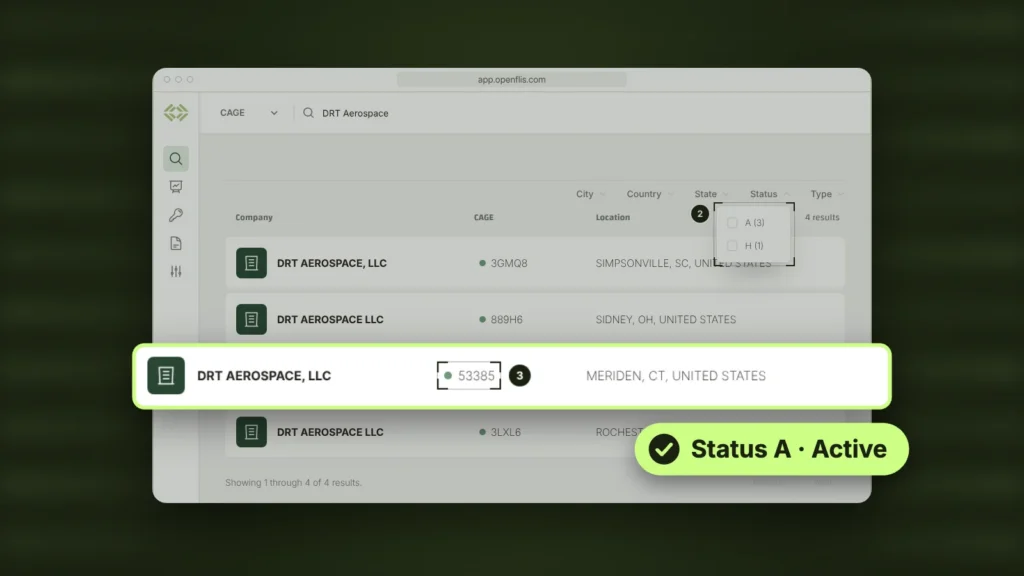
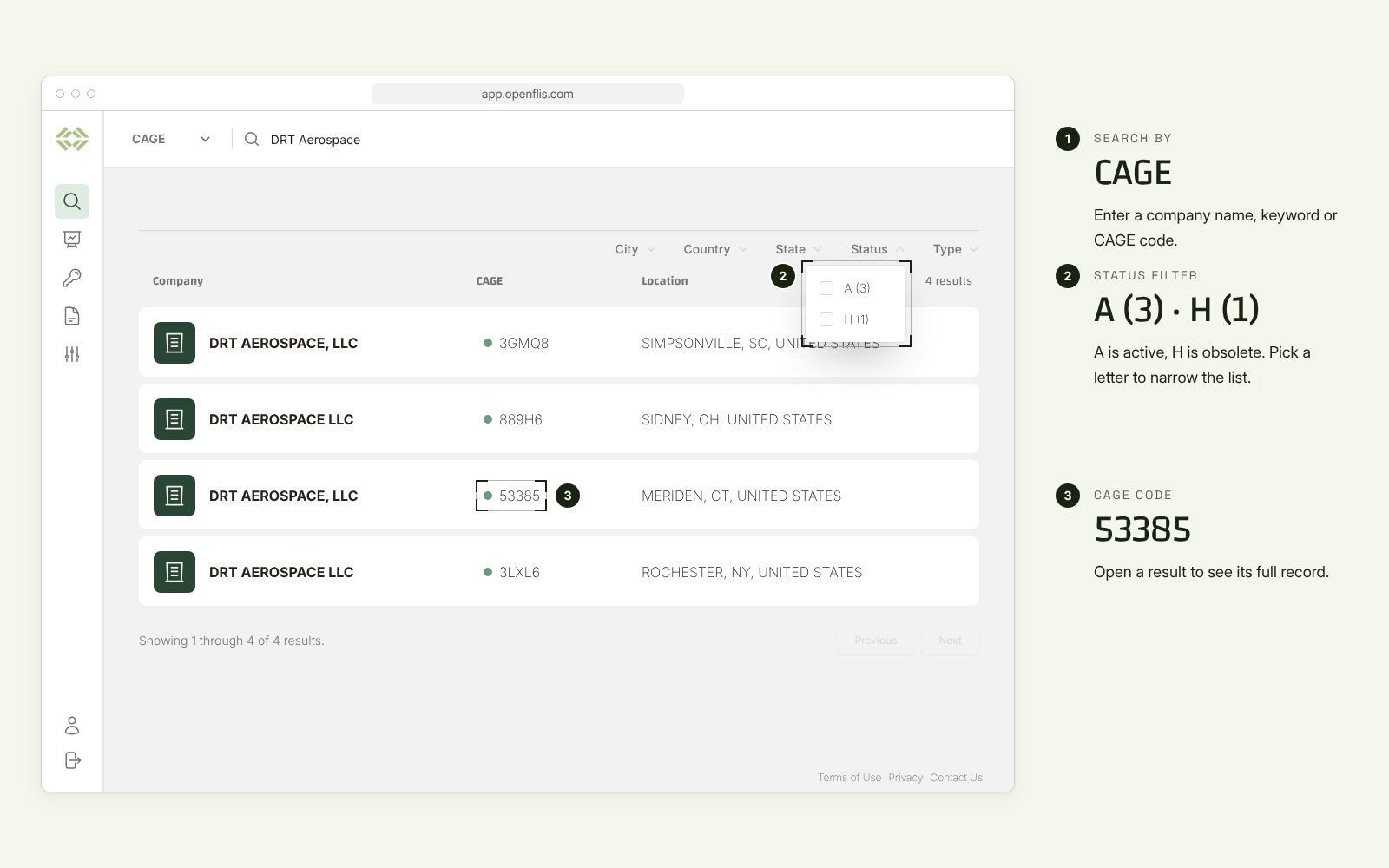
Create a free account or log in, then open the Search Tool and set the search toggle to CAGE. Then, run a CAGE code lookup by company name or enter the code itself. You can also run a CAGE code search by former company name, including former names from acquisitions and rebrands.
In the results, a green dot indicates that the CAGE code is active. An orange dot means the status needs a closer look, so open the record and check it. The full record shows the status, type, address, former names, and any parent or replacement CAGE. The status tells you whether the code is Active, Cancelled, Obsolete, or Debarred, or carries a restraint or specialized use. Open a result to see the full record, with the status, type, address, former names, and any parent or replacement CAGE.
The status appears in the record as a one-letter code, with A for active and R, N, P, F, or H for canceled or obsolete.
Step 2: Confirm the Company Is Registered to Supply the Part or Product
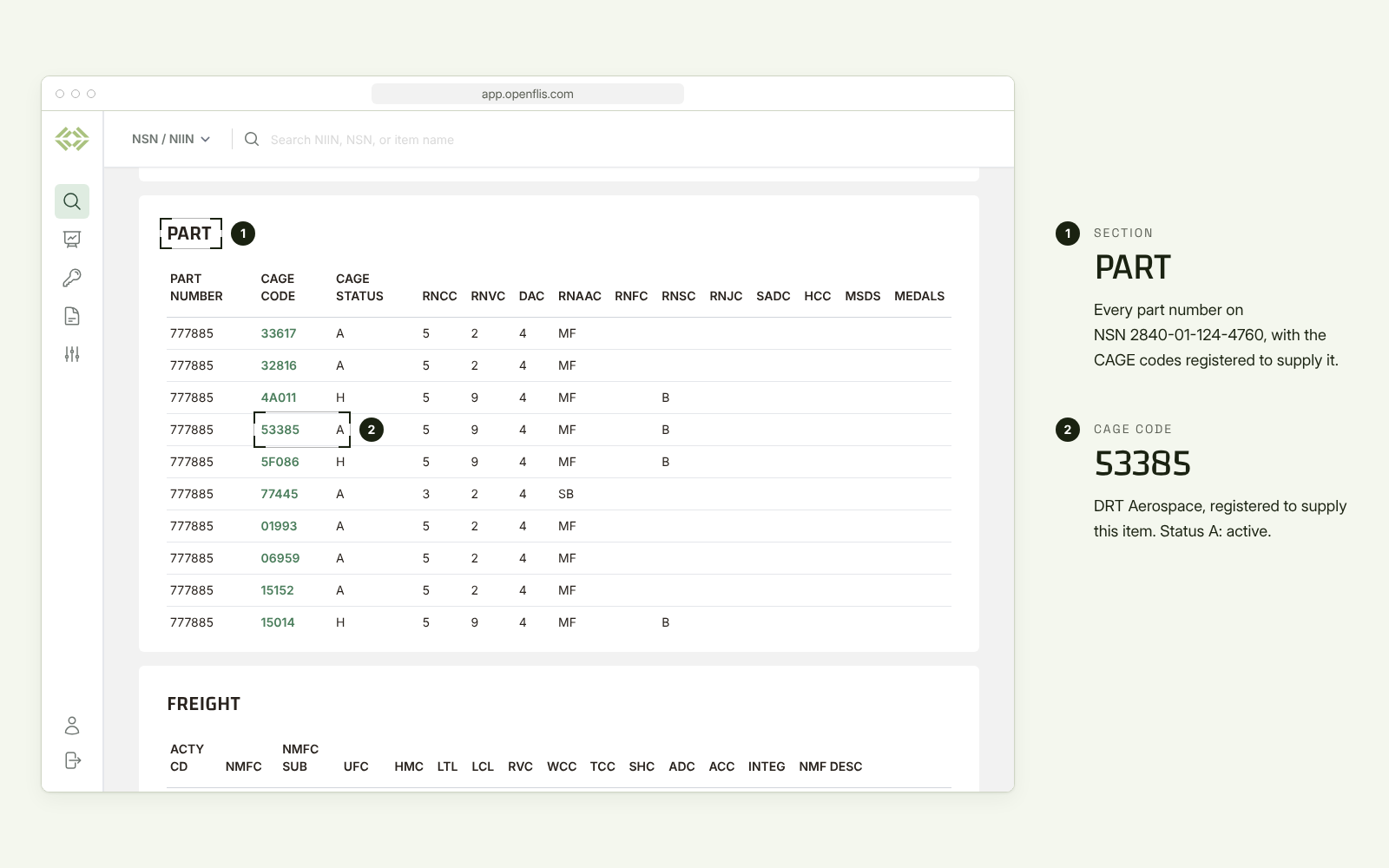
A company is registered to supply a part or product when the record for the item's National Stock Number (NSN) lists its CAGE code. Start with the NSN on your quote or purchase order. Set the search toggle to NSN, enter the number, and open the record. Find the company's CAGE code among those listed, then confirm that its name and address match your quote or purchase order and that its status is active.
Building a supplier shortlist instead? Search the NSN to see every company registered to supply that part or product.
Watch for these red flags:
- Canceled or obsolete status: If the record points to a replacement CAGE, check the replacement instead.
- Status of E: The record lists the company as debarred, suspended, or proposed for debarment by the U.S. federal government. This status also means that they are not eligible for contract awards. Stop and confirm on the System for Award Management (SAM.gov) in Step 3.
- Any other status: The CAGE carries a condition. Confirm directly with the company before you quote.
- Name that does not match: Check it against the current and former names in the record.
Step 3: Check SAM.gov for Registration and Exclusions
The CAGE record in OpenFLIS does not include SAM.gov registration data or its exclusions list. OpenFLIS shows the company's status, address, and former names. SAM.gov shows whether the company is actively registered and not on the exclusions list. Check both before you quote.
How to Automate CAGE Code Validation With the API
Validating CAGE codes one at a time can slow your process down as your search volume grows. Our Application Programming Interface (API) replaces those manual lookups by connecting OpenFLIS to your own software. Each request takes a specific CAGE code and returns the company's record.
Only have a company name? Enter it in the Search Tool to find the CAGE code, then use that code in the API.
A major European MRO (maintenance, repair, and overhaul provider) used CAGE data from OpenFLIS to automate an estimated 100 hours a week of manual customs data capture. Read the story on the OpenFLIS homepage.
Search Tool
Work With Verified FLIS Data
Search NSN, CAGE code and part number records free, then connect 50+ FLIS tables to your own systems with the API.
Free forever. No card required.
Frequently Asked Questions
What is a CAGE code?
A CAGE (Commercial and Government Entity) code is the five-character code that identifies a company or government entity in the federal supply system. An item's record lists the CAGE codes of the companies registered to supply it.
Can I look up a CAGE code by company name?
Yes. In the Search Tool, set the toggle to CAGE and search by company name, keyword, or the code itself.
What does a canceled or obsolete CAGE code mean?
The company or entity behind the code has been discontinued, or its location is unknown. If the record lists a replacement CAGE, check that code instead.
Does OpenFLIS show SAM.gov registration or exclusions?
No. The CAGE record shows the company's status, address, and former names, so check SAM.gov for registration and exclusions.
Share this post

Written by
Connie Michelle
Director of Marketing, Synergetics
Technical review by Patricio Jimenez, Director of Commercial Growth & Partnerships.