
NSN, NIIN, part number & CAGE Search Tool
Search an NSN, part number, or CAGE code
OpenFLIS gives procurement, sourcing, and logistics teams direct access to verified Federal Logistics Information System (FLIS) data, from the team that built and manages the government’s own FLIS systems.
 PrintAdd to ListSERVOVALVE,HYDRAULIC1650-00-097-1398
Searching and viewing records is unlimited on every plan. No credit card required.
OpenFLIS is a product of Synergetics Inc. We built and manage the government’s FLIS data, so what you’re searching here is the unrestricted portion of that same data. None of it is scraped from other sites.
17M+
NSN records
16M+
Part numbers
4M+
CAGE profiles
Unlimited Search
Every plan, including Free, features unlimited searches and profile views.
Federal logistics data changes continuously.
What you can answer
Find the item, the part number, and the supplier without leaving one page
Quoting desks at distributors and prime contractors, procurement and sourcing teams, and logistics coordinators use the Search Tool to settle the questions that hold up a quote or an order.
Accurately confirm items
Open an NSN profile and read the full item identification, approved name and definition, its supply class, and its characteristics - all decoded. Profiles also include DEMIL and hazmat flags, criticality, shelf life, and current status.
Trace a part number back to its item
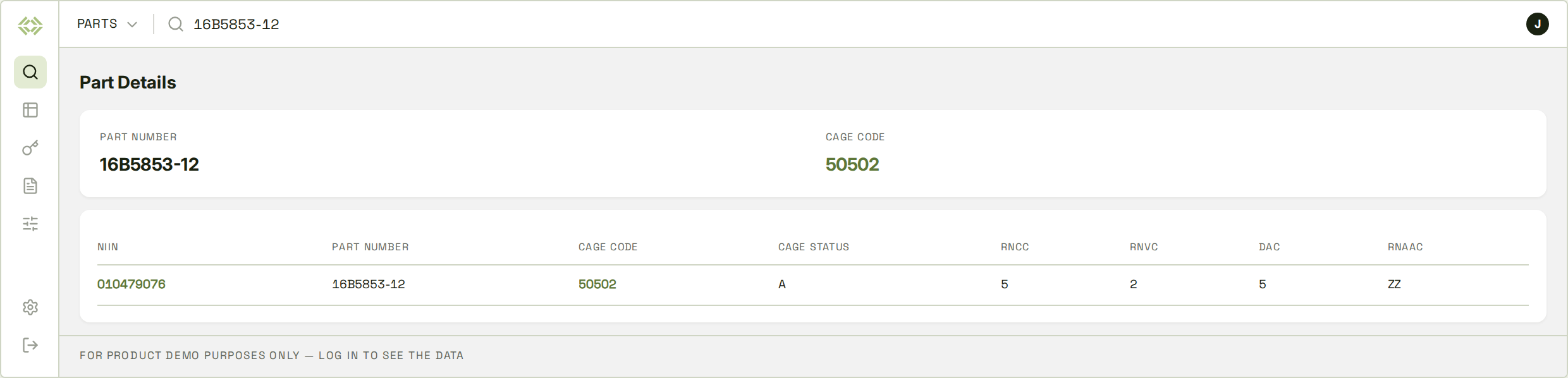
Search a manufacturer part number to see which CAGE, or CAGES, owns it and every NSN it's recorded on. The reference codes tell you whether it's a design control number or a vendor reference.
See who's registered to supply the items
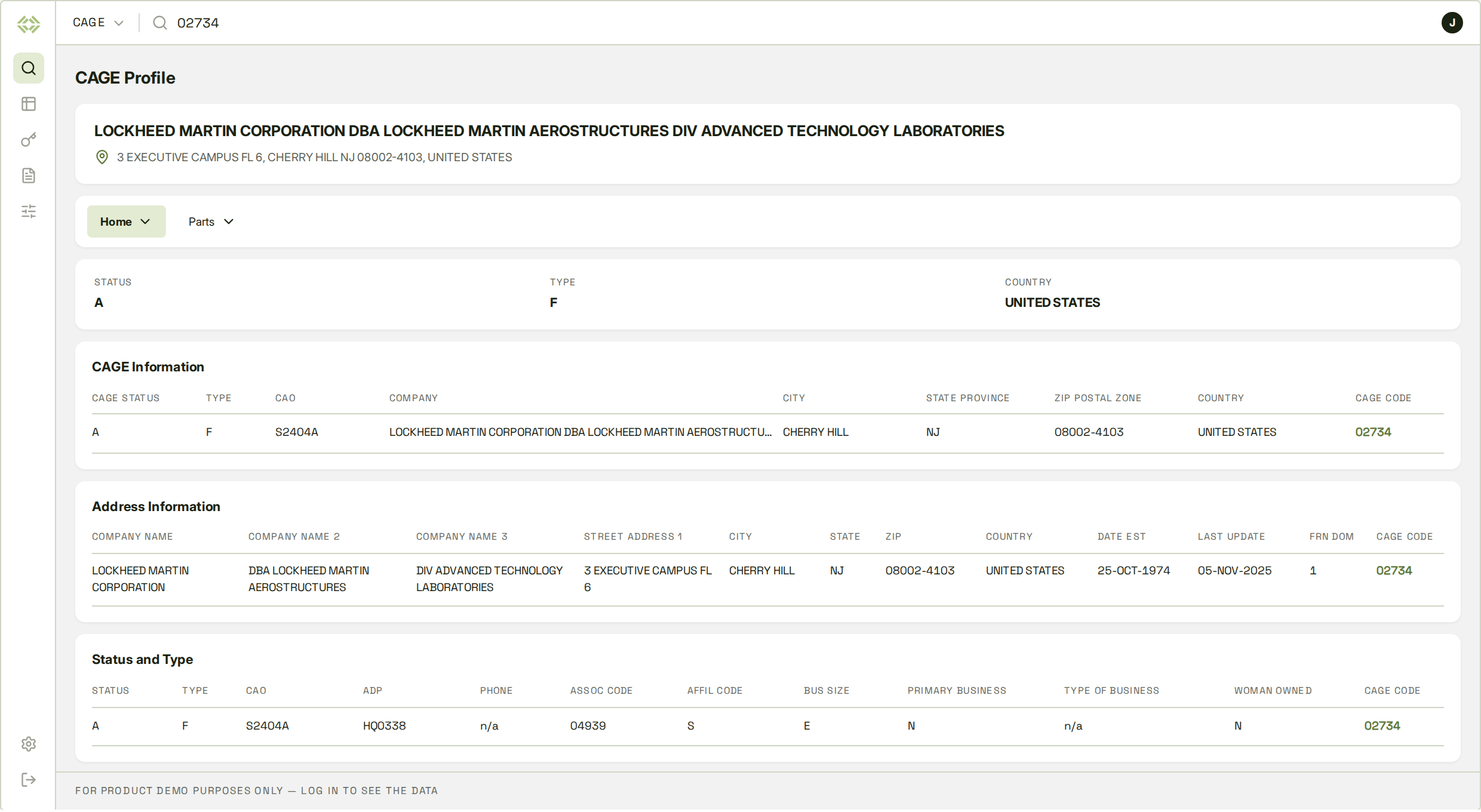
The item record lists each CAGE registered against it. Click into any of them to check the company's status, address, size, and corporate parent, so cancelled and obsolete codes stay off your shortlist.
Check packaging and freight before it ships
Each item profile has the full packaging and freight record. This covers motor and rail freight classes, hazmat and special handling codes, storage type, container specs, and the unit pack's weight, cube, and dimensions.
How the search works
Search by name, number, or keyword
Use the toggle to pick what you’re looking for, then start typing. You can search by the code or by name, which helps when all you’ve got is a description on a purchase order.
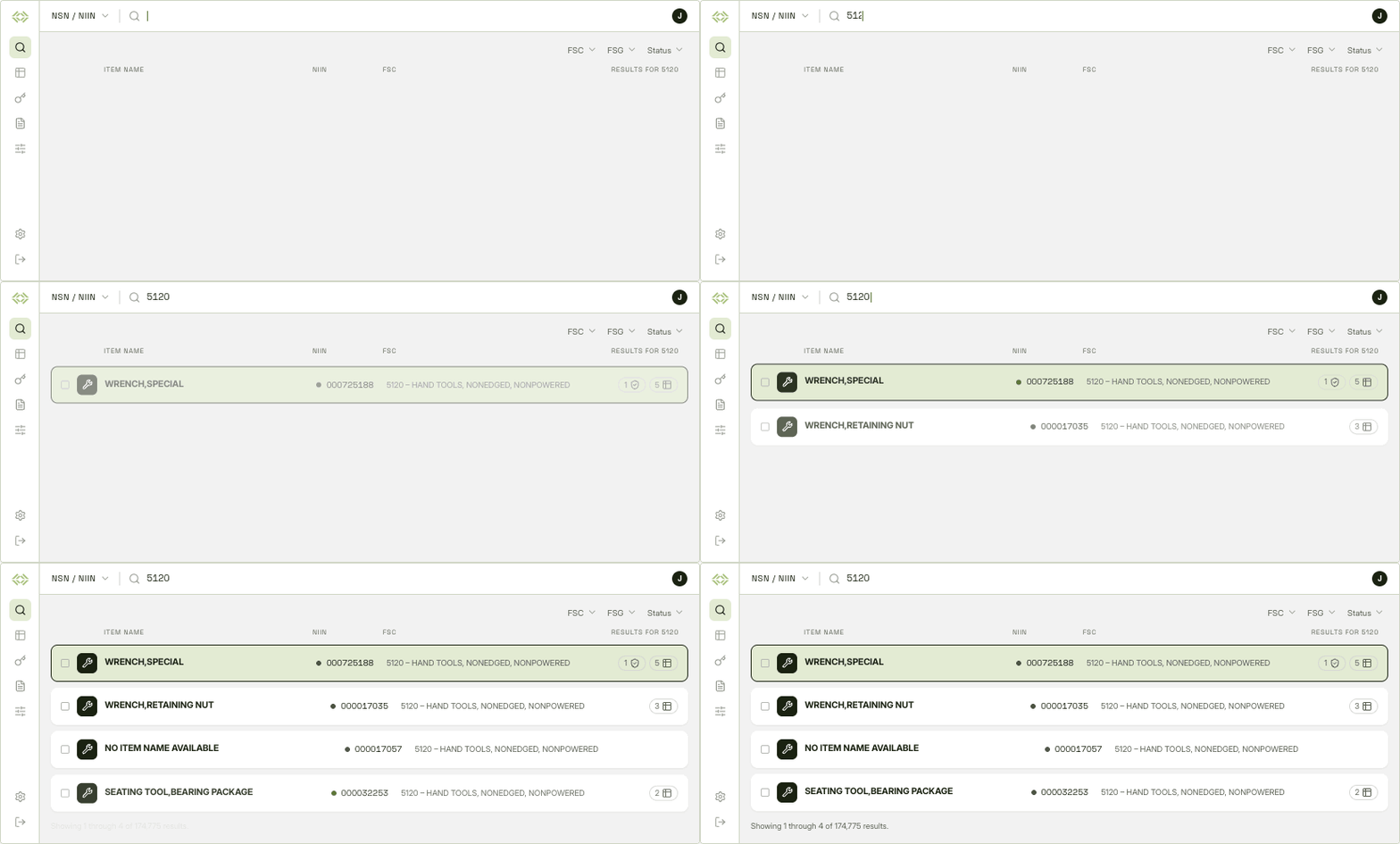
Items, by NSN, NIIN, name, or keyword
Enter a stock number to go straight to the item, or type a name like “cap screw” and pick from the matches. Then filter by Federal Supply Group, Federal Supply Class, or status until you’re down to the handful that matter.
- Search by NSN, NIIN, approved item name, or keyword
- Results appear as you type, where you can preview profiles
- Filter by FSG, FSC, and status
Part numbers, by number or keyword
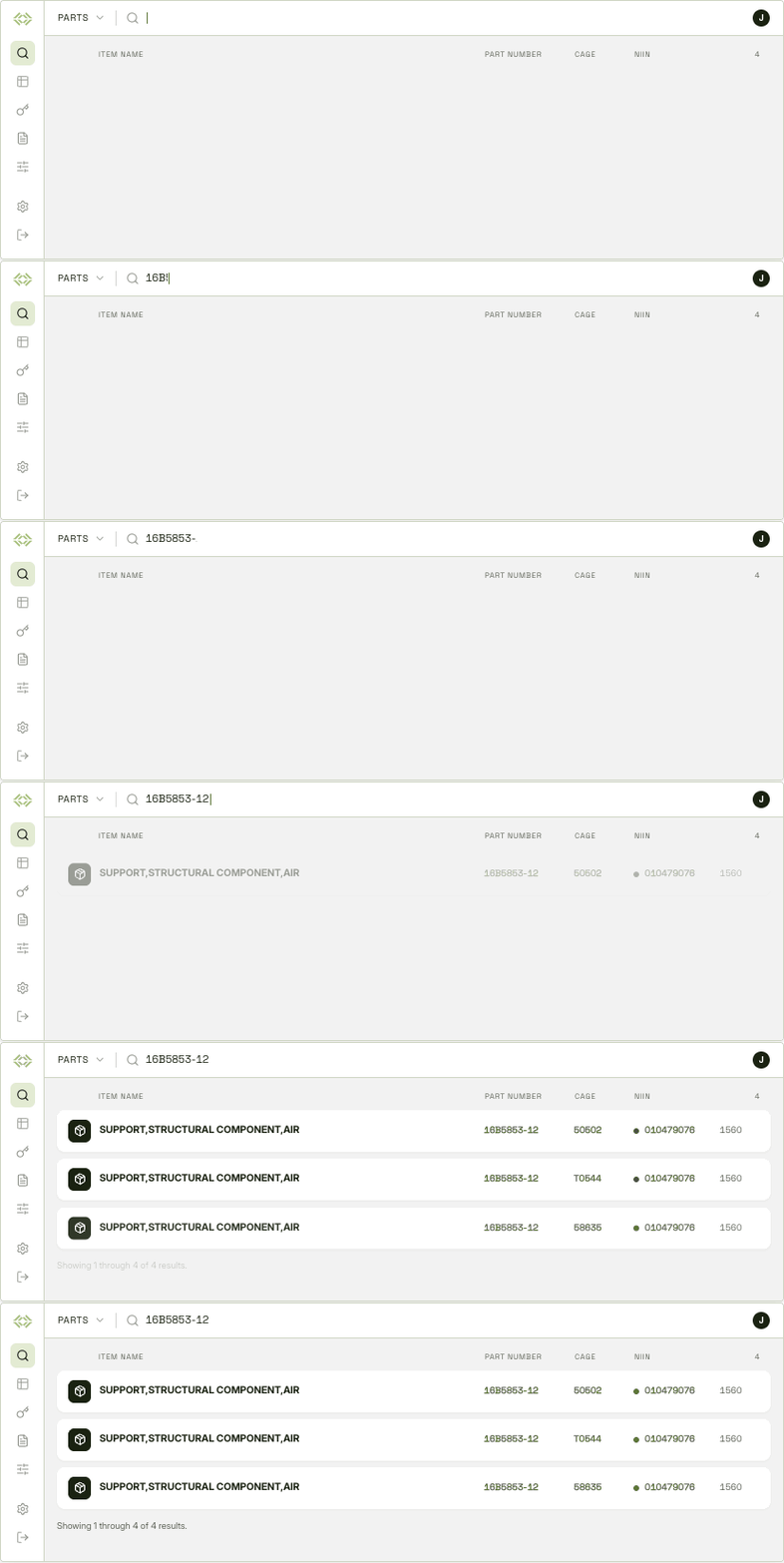
Start with the number a manufacturer or customer gave you. The part number record shows who owns it, how it relates to the item, and which NSNs it’s recorded on. That helps when a customer sends a part number with no NSN attached.
- Search by manufacturer part number or keyword
- See the corresponding CAGE codes and click on company profiles
- Read the reference codes that explain how the number relates to the item
Companies, by name or CAGE code
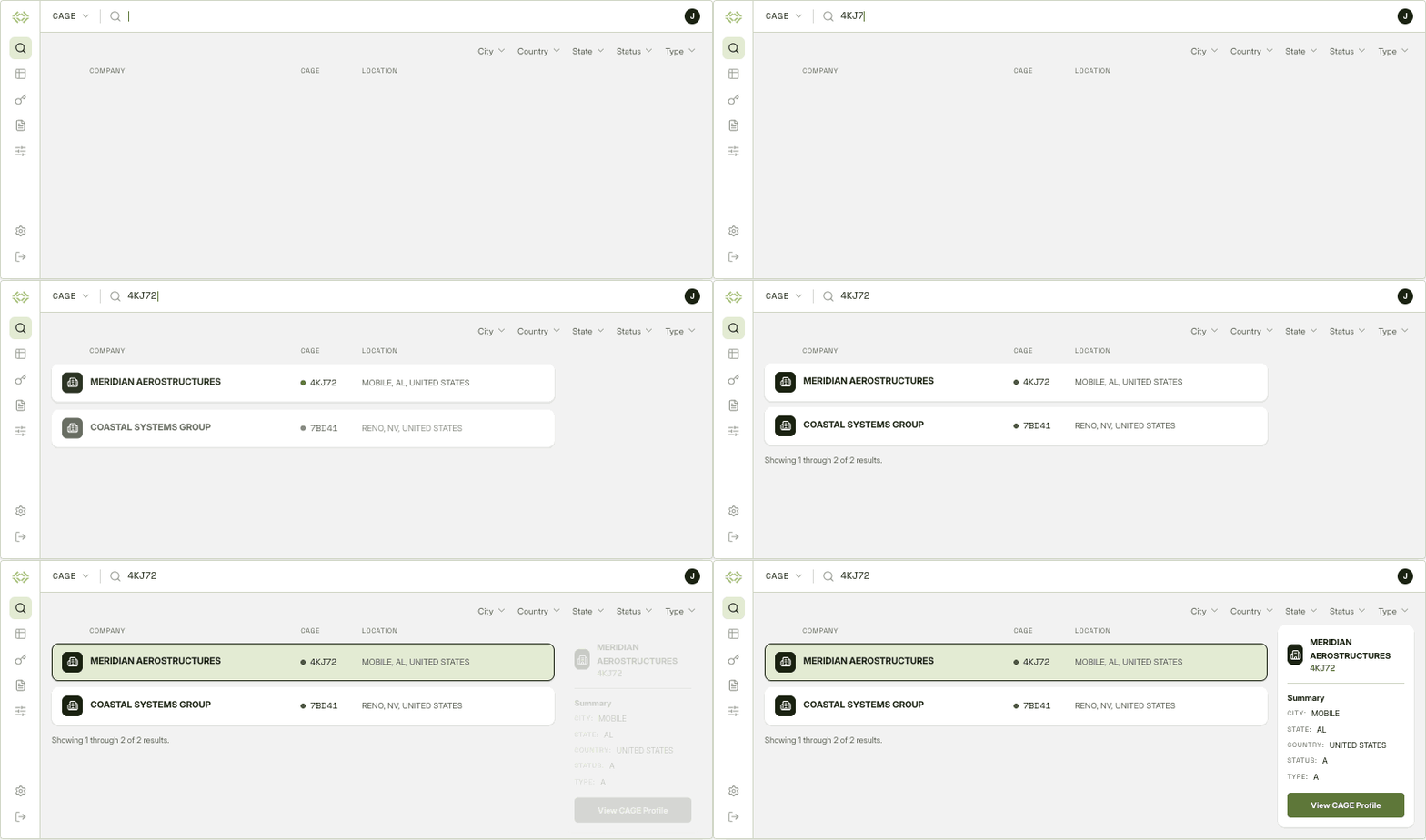
Look up a supplier by CAGE code, or by company name if you don’t have the code. You can narrow results by city, state, country, CAGE status, or entity type, such as U.S. and Canadian manufacturers, non-U.S. manufacturers, non-manufacturers, and service providers.
- Search by company name, keyword, or CAGE code
- Filter by city, state, country, CAGE status, and CAGE type
- Former company names are searchable too, like acquisitions and rebrands
Records and profiles
Every result opens a complete profile
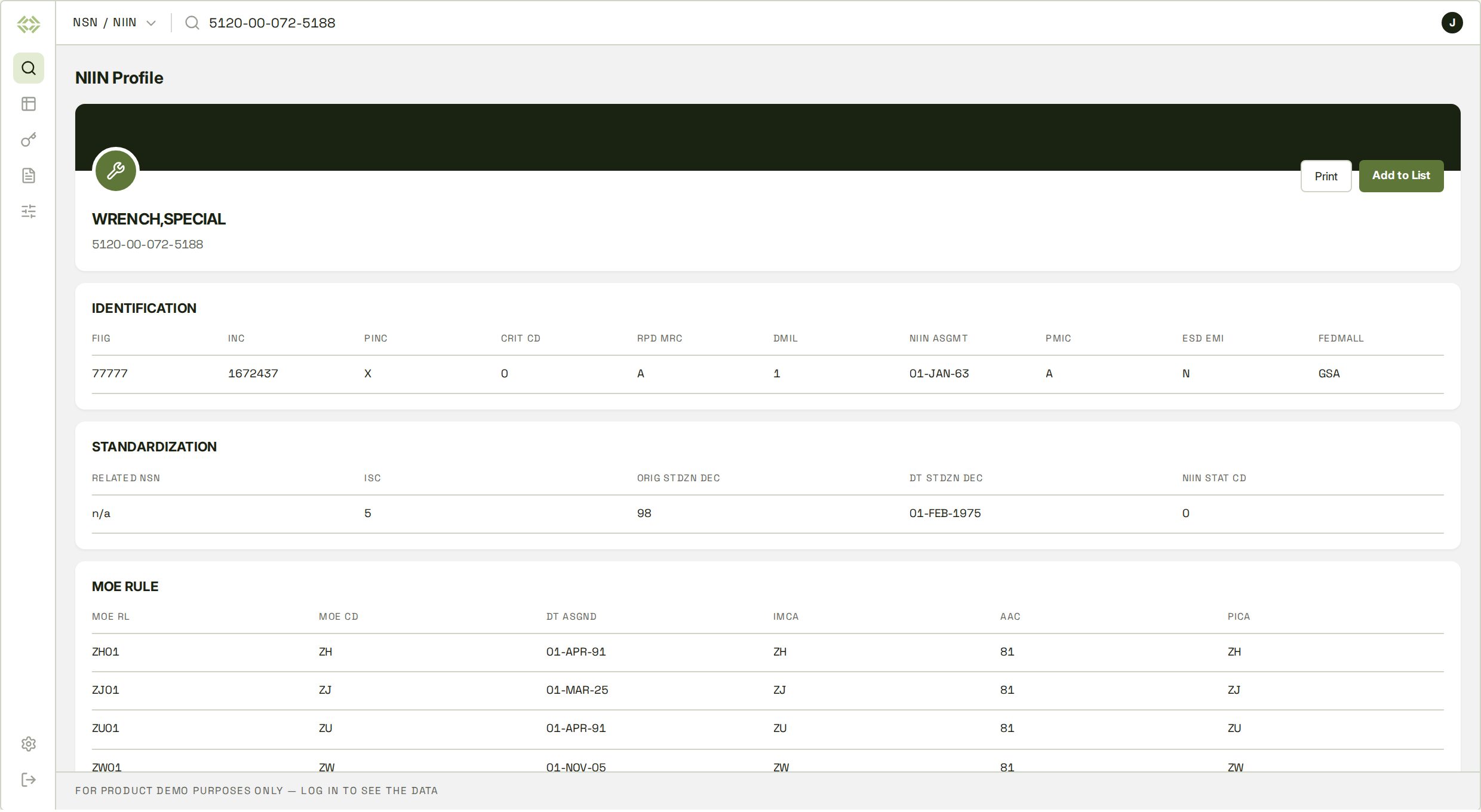
Click on a search result to open its profile. You’ll see all the tables OpenFLIS holds for that item, part number, or company, with the codes already spelled out. From there you can save the profile as a PDF or add it to a list and run a report on it later.
Identification and status
NSN and NIIN, Federal Supply Class and Group with their titles, notes, inclusions and exclusions, the approved item name with its INC and definition, FIIG and applicability key, type of item identification, assignment and effective dates, NIIN status, DEMIL code and integrity code, criticality, hazardous material and precious metal indicators, ESD and EMI sensitivity, environmental attribute code, IUID indicator, MSDS reference, Schedule B classification, MEDALS document number, and the FedMall flag.
Management data
Acquisition advice code, source of supply and last known source, unit of issue with its conversion factor, unit of measure, quantitative expression, unit price, repair net price, quantity unit pack, shelf life, controlled inventory item code, recoverability and reparability, item management code and coding activity, integrated materiel manager, PICA and SICA with levels of authority, using service, and management control codes.
MOE rules
The MOE rule number and any former rules, the MOE and activity codes for every organization involved, acquisition method code and suffix, nonconsumable item materiel support code, depot source of repair, the submitting activity, data collaborators and receivers, including supplementary ones, and the date the rule was assigned.
Service and agency data
Army materiel category and accounting requirements codes; Air Force ERRC, MMAC, budget, fund, and price validation codes; Navy cognizance symbol, SMIC, special material content code, and issue, repair, and requisition restriction code; Marine Corps materiel identification, management echelon, stores account, combat essentiality, and operational test codes; Coast Guard inventory account, serial-number control, and special material content codes; and USSOCOM appropriation, accountable requirements, class of supply, weapon system group, and repairable status.
Reference numbers
Every part number recorded on the item with the CAGE code that owns it, plus the codes that describe the relationship: reference number category, variation, status, justification and format codes, the activity that recorded it, the document availability code, and the service or agency designator.
Characteristics
The master requirement code for each characteristic, the requirement statement, and the item’s reply in clear text, along with the derived end item, common, medical, and colloquial names.
Freight and transportation
National motor freight classification item, sub-item and description, uniform freight classification, less-than-carload and motor freight class ratings, rail variation code, type of cargo, water and air commodity codes, air dimension code, special handling code, hazardous characteristics and hazardous materiel codes, freight integrity code, and type of storage.
Packaging
Method of preservation, cleaning and drying procedure, preservation and wrapping materials, cushioning and thickness, unit and intermediate containers with quantities, unit container level, packing requirements at levels A, B and C, special marking, packaging category, data source and design activity, special packaging instruction, container NSN, unit pack weight, cube and dimensions, DSS pack figures, unpackaged item size and weight, special material content, physical category, optional procedure indicator, and supplemental instructions.
Standardization and interchangeability
Item standardization code, the decision date and the activity that originated it, related NSNs, phrase codes with their statements, the item’s order of use in its interchangeability family, jump-to code, quantity per assembly, and any technical document number tied to the NSN.
Cancellation and replacement
Cancelled NIINs with their supply class, the date of cancellation, and the replacement NIIN and supply class where one was assigned.
Ammunition items
For ammunition, the DoD identification code and the DoD ammunition code that combines it with the supply class.
Getting started
How to get started
Get started in four steps to go from sign-up to your first full record. No downloads or installs required.
Create your account
Sign up with your work email. No credit card required, and you can start searching as soon as you’re in.
Pick what you're searching for
Set the toggle to NSN, NIIN, CAGE, or Part, then type a code or keyword.
Narrow the results
Filter items by supply group, supply class, or status. For companies, filter by location, CAGE status, or CAGE type.
Open the profile
Click a record to see the full profile with the codes decoded. Save it as a PDF, or put it on a list so you can run a report on the whole batch of NIINs later.
In practice
How teams use the search tool
The Search Tool is optimized for procurement, quoting, and logistics work.
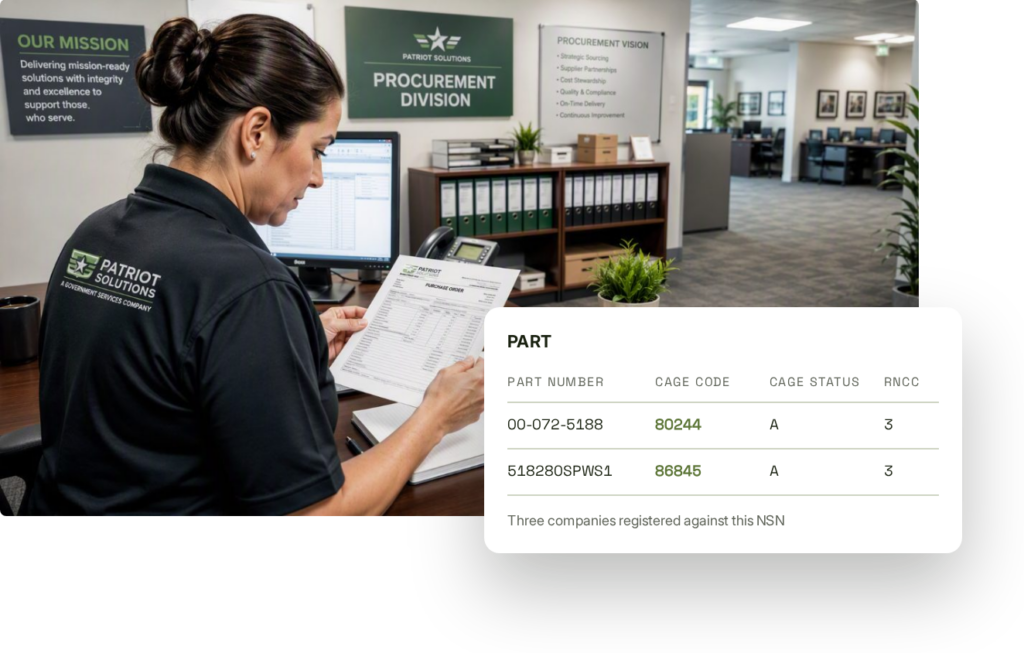
A customer sends over a list of stock numbers and asks who can supply them.
Search each NSN to confirm what the item is and see which companies are registered for it, then open their profiles to check which CAGEs are still active. Registrations change, so it’s worth checking the record instead of trusting an old list. If the list is long, run it as a report in the Reports feature, and download the part numbers and CAGE codes for the whole list in one spreadsheet.
A requirement comes in with NSNs, and you need to know which of your parts match.
Look up the NSN, or start from a part number. The item record shows each part number recorded against it, who owns it, and what kind of reference it is, so you can confirm a match before the quote goes out.
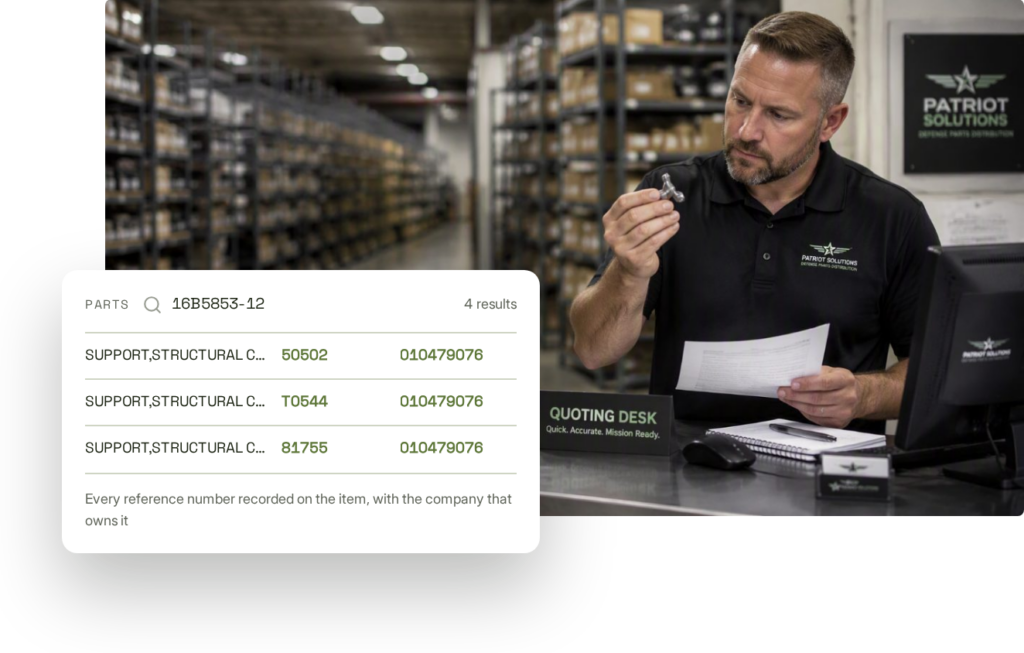
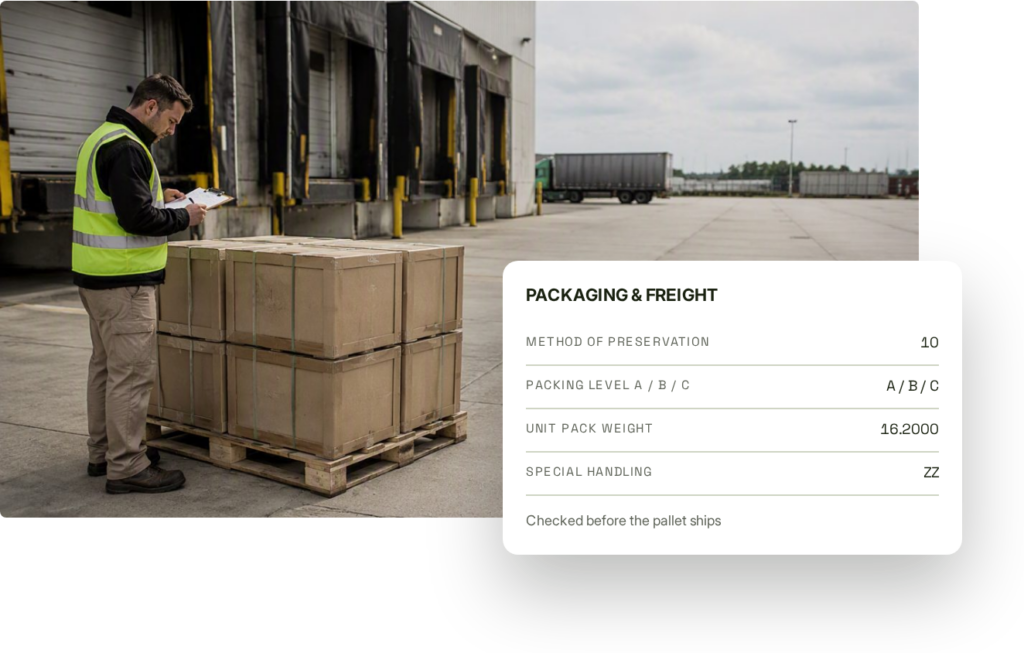
The pallet is staged, and someone has to confirm the packaging codes before it ships.
Open the item profile and check the pallet against it. The packaging and freight record covers preservation method, packing level, unit pack weight and dimensions, and special handling codes, and the hazmat details sit on the same profile.
About our data
FLIS data you can build on
Federal logistics data has historically been hard to work with. OpenFLIS turns current federal logistics data into clean, structured records that your team can search and securely integrate into your systems.
OpenFLIS is built to make unrestricted federal logistics data functional for the public, so that everyone can access government business opportunities.
Sourced from FLIS
Every value comes from the Federal Logistics Information System data, the government’s catalog for NSNs, CAGE codes, and item data.
Change history included
Cancelled and replacement NIINs, former company names, and past management and part number records, where available, are all part of the dataset.
No CAC/government email required
OpenFLIS covers the unrestricted FLIS data, so you don’t need a Common Access Card (CAC) or a government account to use it.
50+ FLIS tables
The dataset runs from item identification and management data to freight, packaging, and service-specific fields.
Credits
What's free and what uses credits
Searching and viewing profiles is free on every plan. Credits only come in when you move from single records to whole lists or automated calls.
What's included on every plan
- Unlimited searches for items, part numbers, and companies
- Unlimited profile views, with every table on the page
- All result filters, on both item and company searches
- Codes decoded into plain language
- Access to Reports and the API
- PDF downloads, and adding records to a Reports list
When the work gets bigger
- Reports lets you paste in a list of NSNs, pick the data you want, and download it as one spreadsheet instead of looking up 200 items one at a time.
- The API feeds the same data into your ERP, PLM, or quoting system, and adds part-number lookups and batch matching for automated workflows.
- Both draw from one shared credit balance, and you get both on any plan, including the Free tier.
Questions
Common questions
Is OpenFLIS affiliated with the DLA or the federal government?
No. OpenFLIS is a commercial product from Synergetics Inc., a private company, and it isn’t a government website. Synergetics built and manages the government’s FLIS data, and the unrestricted part of that data is what you search in OpenFLIS. No government agency sponsors, endorses, or backs OpenFLIS, and it doesn’t give access to any government system.
How current is the data?
OpenFLIS data is always current with unclassified FLIS data.
Do I have to pay to search?
No. Searching and viewing records in the Search Tool is free and unlimited on every plan. Credits only come into play when you run Reports or use the API.
Can I search by manufacturer part number?
Yes. Set the search toggle to Part and enter the number. The record shows the CAGE code that owns it, the reference codes that describe it, and all the NSNs it’s recorded on.
What's the difference between an NSN and a NIIN?
The NIIN is the nine-digit number that identifies an item. The NSN is that same NIIN with the four-digit Federal Supply Class in front of it. You can search either one, with or without dashes.
Can I get this data into my own systems?
Yes, through the API. You authenticate with an API key, and it returns clean JSON from 50+ FLIS tables. You can match part numbers one at a time or in batches. If you just need a spreadsheet for a list of NSNs, Reports can handle that instead. Both share one credit balance and are included on all plans.
What is not in OpenFLIS?
Restricted, classified, service-unique, proprietary, NATO, and controlled unclassified content from FED LOG and WebFLIS isn’t included. OpenFLIS isn’t a way into any official government system.
Start searching federal logistics data for free
Create an account and lookup verified data today. Searching and viewing records stays unlimited on every plan, and no credit card is required to sign up.